

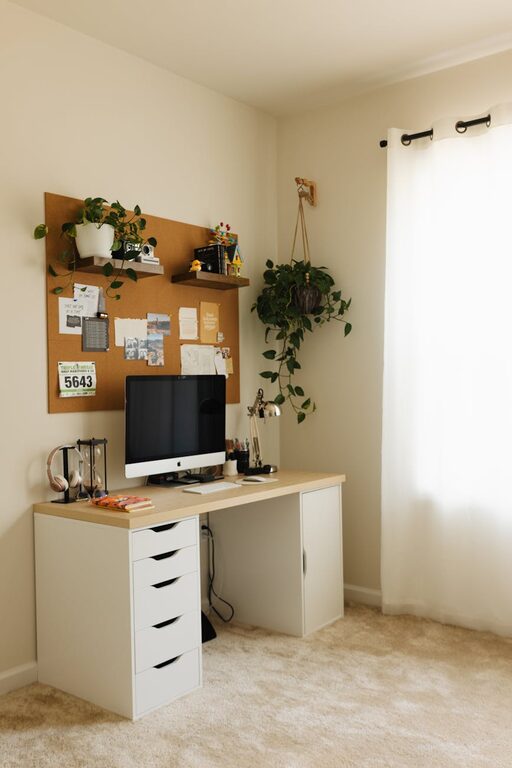
Creating a home workspace that balances comfort and functionality is essential for anyone working remotely or spending considerable time on personal projects. A well-designed workspace can boost productivity, reduce stress, and make your workday more enjoyable. Here are practical tips to help you set up a cozy and efficient home office.
Choose the Right Location
Find a Quiet Spot
Start by selecting a location with minimal distractions. If possible, choose a room or corner away from noisy areas like the kitchen or TV.
Consider Natural Light
Natural light can improve mood and reduce eye strain. Position your desk near a window to take advantage of daylight, but avoid glare on your computer screen by using sheer curtains or adjustable blinds.
Invest in Comfortable Furniture
Ergonomic Chair
A comfortable, supportive chair is crucial. Look for one with adjustable height, lumbar support, and cushioning to prevent back pain during long work sessions.
Functional Desk
Choose a desk that fits your space and needs. Whether it’s a compact desk for small areas or a larger one to hold multiple monitors, make sure it has enough surface area for your work essentials.
Organize Smartly
Declutter Regularly
Keep your workspace tidy by removing items you don’t use daily. A clutter-free environment helps improve focus.
Use Storage Solutions
Incorporate shelves, drawers, or filing cabinets to store paperwork and supplies neatly. Use labeled containers or baskets to keep smaller items organized.
Cable Management
Prevent tangled cords by using clips, ties, or a cable management box. This keeps your workspace looking clean and reduces tripping hazards.
Personalize Your Space
Add Cozy Elements
Incorporate soft textiles like a throw blanket or cushions to make your workspace inviting. A comfortable rug can also add warmth and reduce noise.
Bring in Greenery
Plants not only improve air quality but also add a refreshing touch. Choose low-maintenance plants like succulents, snake plants, or pothos to brighten your desk area.
Display Meaningful Items
Personal photos, art, or motivational quotes can inspire you and make the space feel uniquely yours.
Optimize Lighting
Layer Lighting
Use a combination of natural, ambient, and task lighting. A desk lamp with adjustable brightness helps reduce eye strain while working.
Choose Warm Light
Soft, warm light creates a cozy atmosphere, which can help you relax and stay focused.
Promote Good Habits
Take Breaks
Set reminders to stand up, stretch, or take short breaks away from your desk to maintain physical and mental wellness.
Maintain a Routine
Establish regular work hours to create a clear boundary between work and personal time, helping you stay organized and avoid burnout.
Technology and Tools
Reliable Equipment
Invest in good-quality hardware like a fast computer, ergonomic keyboard, and a responsive mouse. Reliable technology minimizes interruptions.
Noise Control
Consider noise-canceling headphones or a white noise machine to block out distractions, especially in shared or busy environments.
Keep It Flexible
Multi-Use Furniture
If space is limited, use furniture that can serve double duty—like a foldable desk or storage ottoman—to maximize your room’s functionality.
Adjustable Setup
Consider sit-stand desks or adjustable monitor stands to change your posture throughout the day, supporting comfort and health.
—
Designing a cozy yet functional home workspace doesn’t have to be complicated. By carefully choosing your location, investing in the right furniture, staying organized, and adding personal touches, you can create an environment that enhances your productivity and well-being. Experiment with these tips to find the perfect balance that suits your style and work habits.