

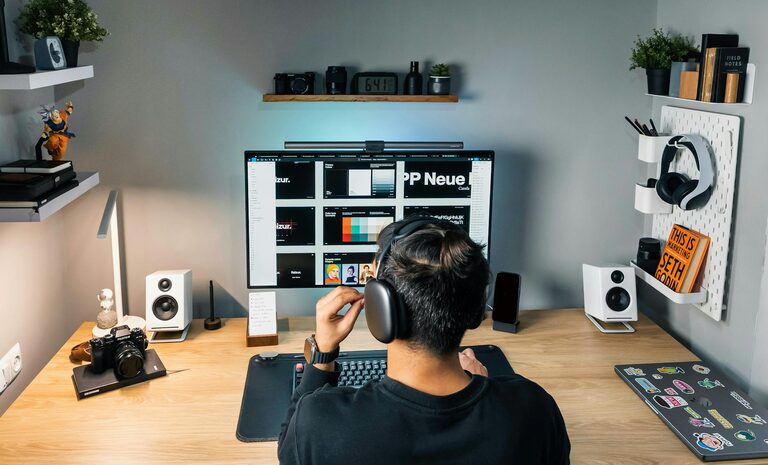
Creating a home workspace that is both organized and efficient can greatly enhance your productivity and overall work experience. Whether you’re working remotely, studying, or managing household tasks, a well-planned workspace helps minimize distractions and maximize your focus. Here are practical tips to help you set up an ideal home workspace that supports your daily activities.
Choose the Right Location
Your workspace should be located in a quiet, well-lit area away from heavy traffic and distractions. If possible, select a spot with natural light, such as near a window, which can improve mood and energy. Avoid spaces that are too isolated or cramped, as these can lead to feeling disconnected or uncomfortable.
Invest in Ergonomic Furniture
Comfort plays a key role in workspace efficiency. Choose a chair that supports good posture and a desk at a comfortable height for typing and writing. Adjustable chairs and desks can offer flexibility if multiple people use the workspace. Using a separate keyboard, mouse, and monitor at eye level can also help prevent strain.
Keep Your Workspace Clutter-Free
Clutter can negatively affect focus and increase stress. Maintain an organized desk by only keeping essentials within reach and storing other items away. Use drawers, shelves, or filing cabinets to keep papers and supplies tidy. Regularly clear your workspace at the end of the day to start fresh every morning.
Tips for Tackling Clutter:
– Use desk organizers for pens, papers, and gadgets.
– Digitize documents when possible to reduce paper build-up.
– Create a habit of filing or discarding unnecessary items weekly.
Establish a Storage System
Good storage solutions improve organization and save time searching for materials. Label boxes, bins, and folders clearly to easily locate what you need. Consider vertical storage to maximize small spaces, using wall-mounted shelves or pegboards for tools and accessories.
Optimize Lighting
Proper lighting reduces eye strain and keeps you alert. Combine natural light with adjustable task lighting, such as a desk lamp. Avoid harsh overhead lights or glare on your screen. If natural light is limited, choose bulbs with a daylight spectrum to mimic natural tones.
Minimize Distractions
Identify common distractions and find ways to reduce them. Noise-canceling headphones or a white noise machine can help block out background sounds. Inform family members or roommates about your work hours to avoid interruptions. Keeping your phone on silent or in another room during focused work periods can also help maintain concentration.
Personalize Your Workspace
Adding personal touches makes your workspace inviting and increases motivation. Photos, plants, or artwork can brighten your area without creating clutter. Plants, in particular, improve air quality and add a calming effect.
Set Up Technology Thoughtfully
Ensure your computer, printer, and other devices are arranged for convenience and safe cable management. Use wireless accessories if possible to reduce cable clutter. Regularly update software and maintain backups to avoid technical issues that disrupt your work.
Plan Your Workday and Breaks
A productive workspace is not just about physical setup but also work habits. Use planners or apps to organize tasks and deadlines. Schedule regular breaks to stretch and relax your eyes, which helps maintain energy and focus throughout the day.
Keep Your Workspace Clean
Regular cleaning prevents dust buildup and maintains a pleasant environment. Wipe down surfaces, keyboards, and screens frequently. Clean your chair and floor area to avoid allergens and dust that can cause discomfort or illness.
—
By thoughtfully organizing your home workspace, you create an environment that supports focus, comfort, and efficiency. Whether your space is large or small, implementing these tips can help you make the most out of your home office setup. A well-arranged workspace is an investment in your productivity and wellbeing.