

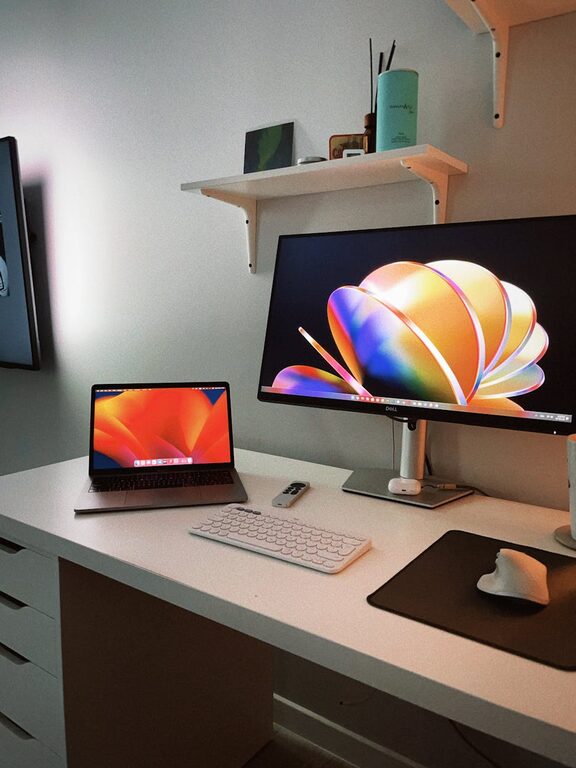
Creating a clutter-free workspace can significantly enhance your productivity and overall work experience. A messy desk or disorganized work area often leads to distractions, stress, and wasted time searching for essential items. By implementing simple strategies to organize your workspace, you can foster a calmer mind and boost your efficiency throughout the day.
In this post, we’ll explore practical tips to organize your workspace, maintain cleanliness, and create an environment that supports your focus and productivity.
Why a Clutter-Free Workspace Matters
Before diving into how to organize, it’s helpful to understand why a tidy workspace impacts productivity:
– Reduces distractions: Clutter competes for your attention and makes it harder to concentrate.
– Saves time: Knowing where everything is helps you avoid wasting time searching for tools or documents.
– Promotes creativity: A clean space leaves room for fresh ideas and clear thinking.
– Lowers stress: Orderly surroundings can improve your mood and reduce feelings of overwhelm.
Tips for Organizing Your Workspace
1. Start With a Clean Slate
Begin by removing everything from your desk and work area. Wipe down surfaces, clean your computer screen, keyboard, and any other items that gather dust or grime. This fresh start helps you see the available space and decide what truly belongs.
2. Sort and Declutter
Look at each item and ask:
– Do I need this every day?
– Does this help me work better?
– Is this something I’ve used recently?
Keep only essential items on your desk. Place rarely used items in drawers, shelves, or storage boxes to keep the surface clear.
3. Define Zones for Different Tasks
Assign specific areas of your workspace for particular activities, such as:
– Computer work
– Writing or paperwork
– Reference materials
– Supplies
Having dedicated zones prevents mixing unrelated items and makes your workflow smooth and intuitive.
4. Use Storage Solutions Wisely
Invest in organizers that suit your needs:
– Desk organizers or trays for papers and stationery
– Cable organizers or clips to keep cords untangled
– Drawer dividers to separate smaller items like pens, sticky notes, and chargers
– Shelves or filing cabinets for documents and books
Storage solutions ensure each category of items has its place and reduces clutter buildup.
5. Embrace Minimalism on Your Desk Surface
Try to keep only the essentials visible and handy on your desk, such as:
– Your computer or laptop
– A notebook or planner
– A pen holder
– A small calendar
Limit personal items or decorative objects to one or two meaningful pieces that brighten your space without overcrowding it.
6. Manage Your Cables
Messy cables can quickly make your workspace look chaotic. Use cable clips, sleeves, or ties to:
– Bundle cables together
– Route them behind your desk or monitor stand
– Label cords if necessary
A neater cable arrangement improves both aesthetics and ease of cleaning.
7. Establish a Daily and Weekly Routine
Organization isn’t a one-time project but an ongoing habit. Create routines such as:
– At the end of each day, spend 5 minutes tidying your desk to prepare for tomorrow.
– Once a week, review paperwork and files, discard what’s no longer needed, and restock office supplies.
Consistent upkeep prevents clutter from accumulating again.
8. Digitize When Possible
Reduce physical paper clutter by adopting digital tools:
– Scan important documents and save them on your computer or cloud storage.
– Use digital calendars, note-taking apps, and task managers instead of paper planners.
– Replace sticky notes with digital reminders.
Going paperless can dramatically reduce your workspace bulk and improve organization.
9. Personalize Your Space Thoughtfully
While maintaining order is important, a workspace should also feel comfortable and motivating. Consider adding:
– Natural elements like a small plant for fresh energy
– Inspirational quotes on a bulletin board
– Comfortable lighting suited to your tasks
Just keep personalization balanced with functionality.
Maintaining a Clutter-Free Workspace Over Time
To enjoy consistent productivity benefits, it’s essential to cultivate habits that keep your workspace organized:
– Perform quick cleanups throughout the day rather than letting mess pile up.
– Avoid bringing unrelated items into your workspace.
– Allocate time for monthly deep cleans and reassess your organization systems.
– Use labels on drawers, boxes, and shelves to easily identify contents.
Conclusion
An organized, clutter-free workspace is a powerful factor in enhancing focus, reducing stress, and boosting productivity. By following these practical tips—decluttering, defining zones, using smart storage, managing cables, and establishing routines—you can create a work environment that supports your best performance every day.
Start small, maintain consistency, and enjoy the benefits of a neat and efficient workspace. Your productivity is worth it!